Clock in and out
Employees can register when their shifts start and finish.
Let employees clock into assigned work, see their working time and clock out when the shift is complete. Review hours in the same company workspace as your team roster.
A real view of EarthRoster on mobile. The same company workspace connects your team across phones and desktop.
Explore with a free trial ↗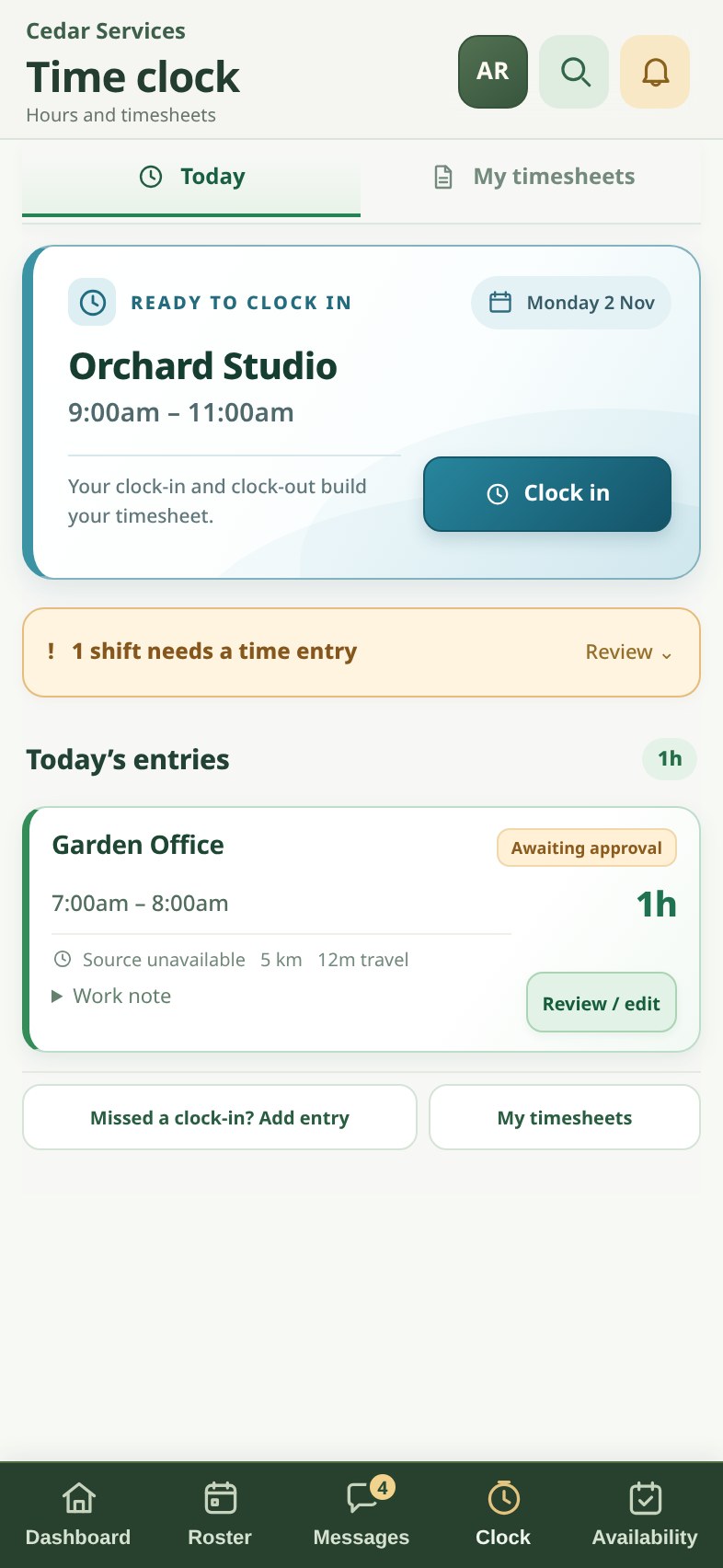
EarthRoster brings clock-in and clock-out information into your timesheet workflow, helping staff and administrators understand recorded work time. The exact clocking experience depends on the company settings and employee access.
Employees can register when their shifts start and finish.
An active-shift view keeps the current clock session visible.
Employees can see their own available timesheet records.
Authorised managers can review and correct time entries where permitted.
Find the relevant job or assigned work on your device.
Clock in and out using your company’s time clock.
Check the recorded hours and follow your company approval process.
Yes. The EarthRoster time clock is available through the mobile web app.
The app records and reviews worked time; payroll processing depends on your payroll provider and applicable pay rules. EarthRoster is not a substitute for your payroll obligations.